Cimmich

Community Preview 18 Exact Immich 3.1.0 Local-first · Source ↗

The private memory layer for Immich

Your photo library stores images. Cimmich remembers what they mean.

Your archive holds the people, places and stories only you can recognise. Confirm a person, connect a place or event, and Cimmich turns that knowledge into new ways to browse, search and return to the photos that matter.
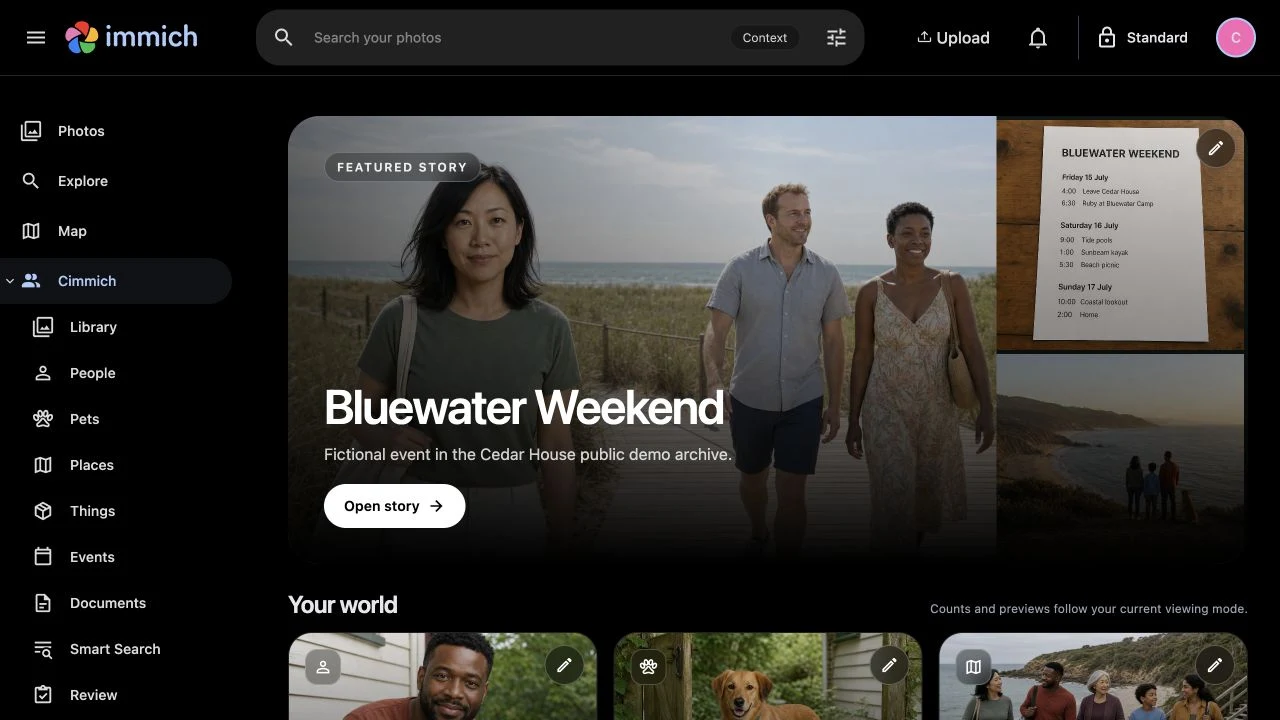
  • People
  • Pets
  • Places
  • Things
  • Events
  • Documents
Cimmich Home showing the connected Cedar House memory library.
Matching that improves
Confirm who someone is, press Refresh, and Cimmich uses what it learned to find the next possibilities.
Connect the archive
Bring people, places, events and documents into one memory layer.
Take the knowledge with you
Export your decisions and linked documents.

The matcher improves with you

Confirm a person. Refresh. Find the next ones.

Every confirmation and correction gives Cimmich better evidence. Press Refresh and Cimmich rebuilds what it knows about that person from the Faces you have confirmed, then searches again and brings the next possibilities back to you. You never manage embeddings. You just say who it is.
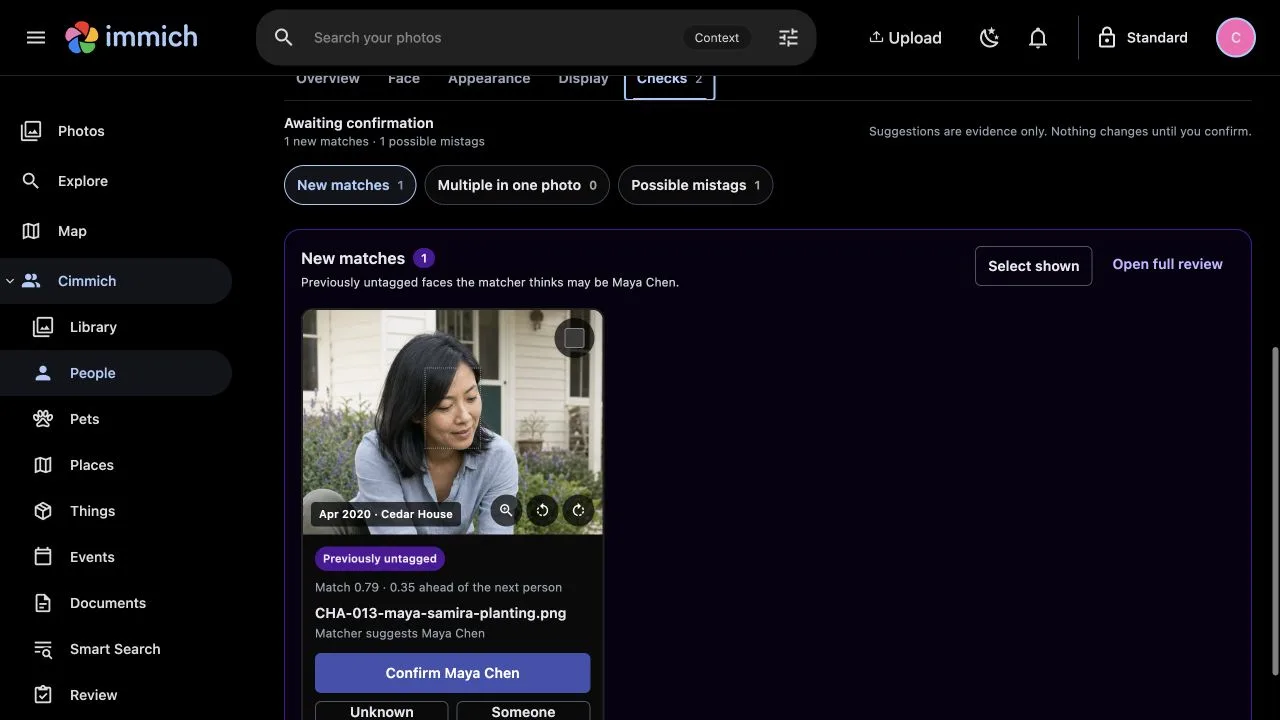
Cimmich New matches showing a previously untagged face, a Maya Chen suggestion and the Confirm Maya Chen action.
1 / Confirm a new match A Face comes back for approval. Confirm Maya, choose someone else or leave it for later.
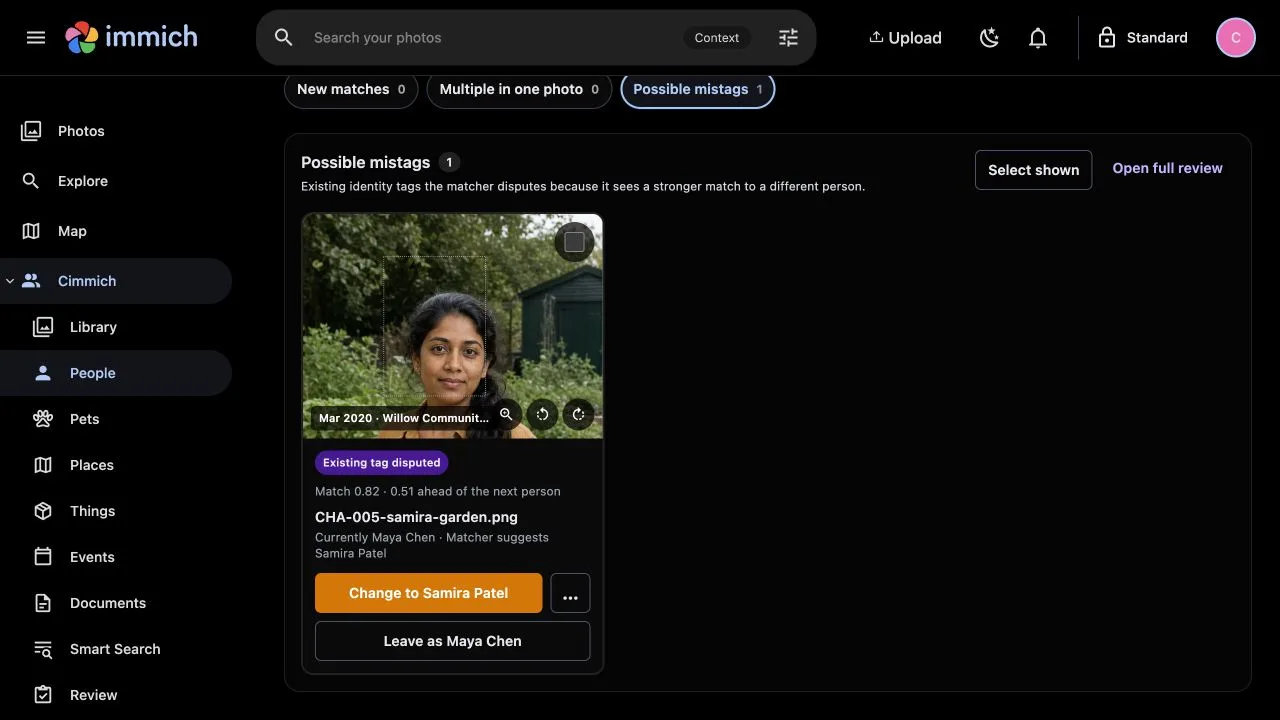
Cimmich Possible mistags showing an existing Maya Chen tag that the matcher believes is a stronger match for Samira Patel.
2 / Question the tag A doubtful tag gets another look when someone else fits far better.
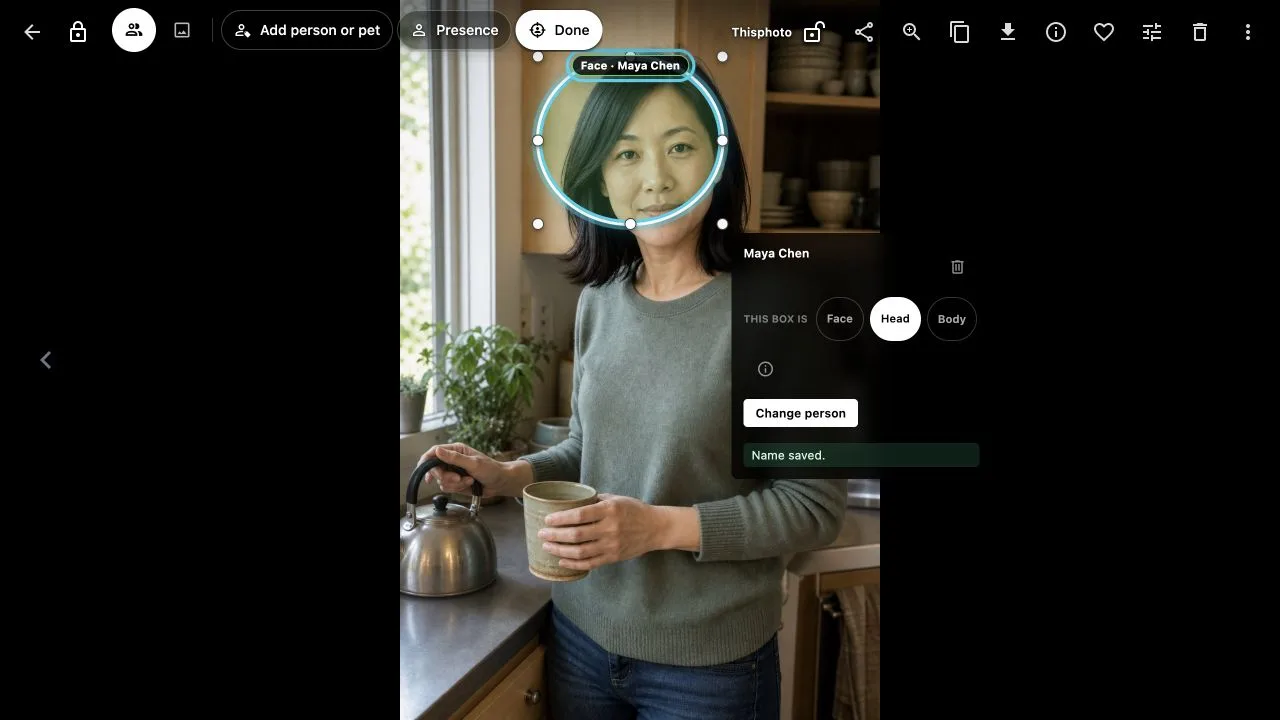
Cimmich retaining Maya Chen on the photo while the selected region is reclassified from Face to Head.
3 / Keep the person If Maya is right but the region is not a usable Face, keep Maya and change it to Head or Body.

Not every sighting is a good face

It can still belong in the story.

Mark the region as Head or Body. Maya stays connected to the photo, but Cimmich will not use that region to find her elsewhere.
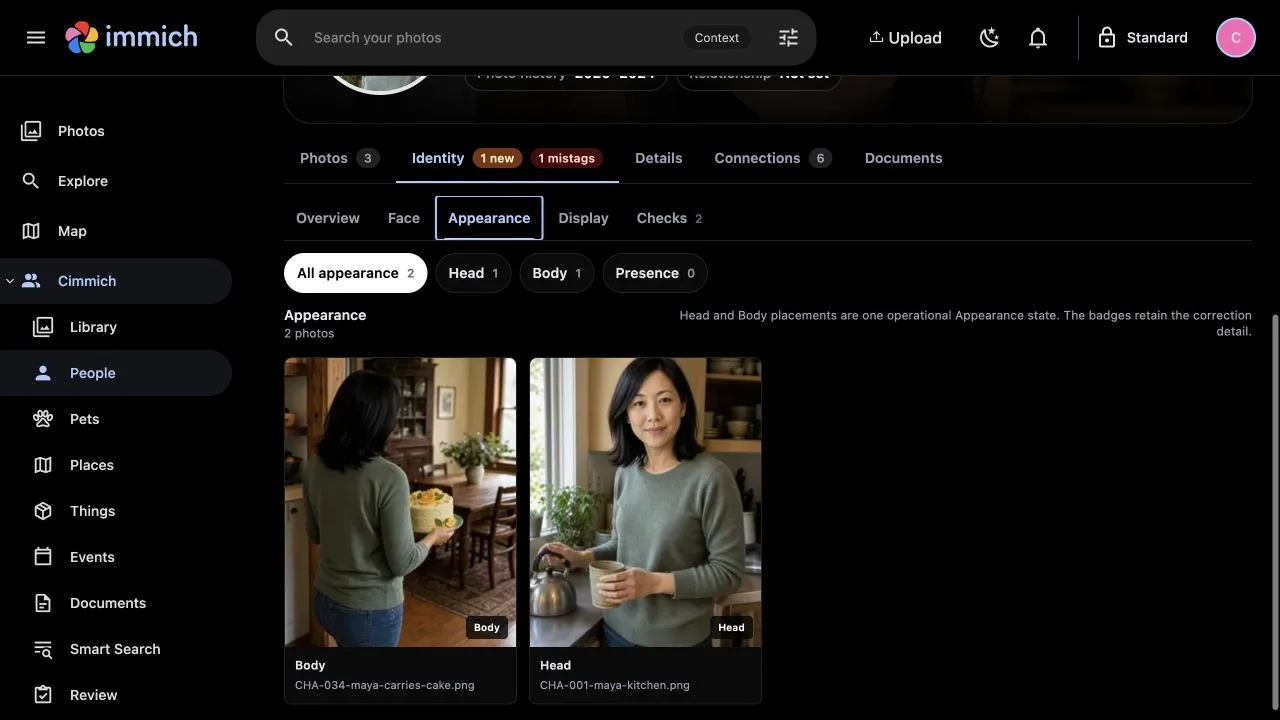
Maya Chen's Appearance view retaining one Head photo and one Body photo after evidence correction.
Maya still has both photos. Their badges show why neither is being treated as a Face.

Finding people is only the beginning

Events, places and documents turn scattered photos into stories you can return to.

  1. 01 / Bring the story together

    A weekend becomes more than a folder.

    Bluewater Weekend brings its photos, journey, people and documents together in one place to return to.
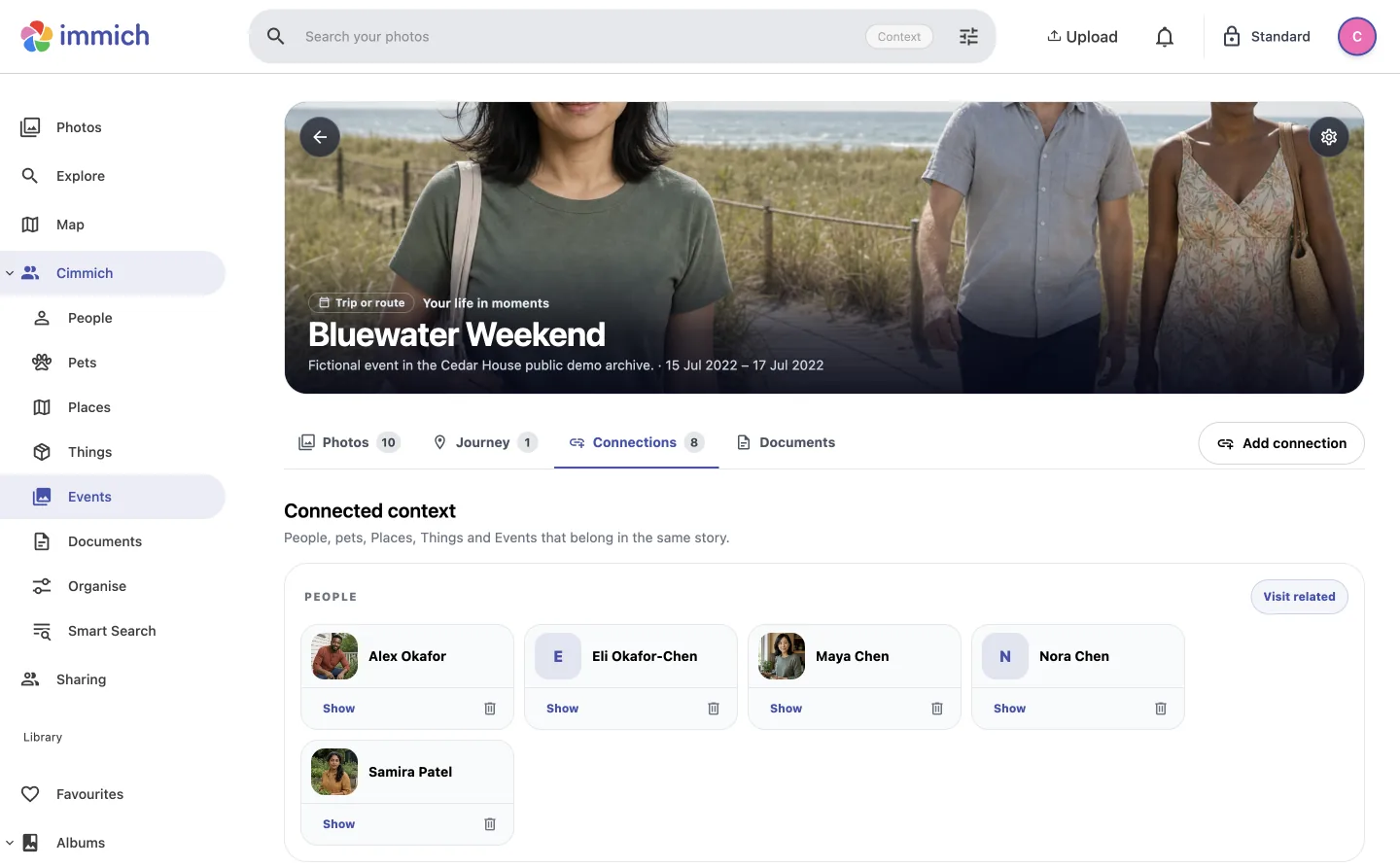
    The Bluewater Weekend event page showing its photos, journey, connected people and documents.
  2. 02 / Keep the source nearby

    Let a document explain the moment it belongs to.

    Nora's invitation stays linked to both Nora and her birthday, where it can be found from either.
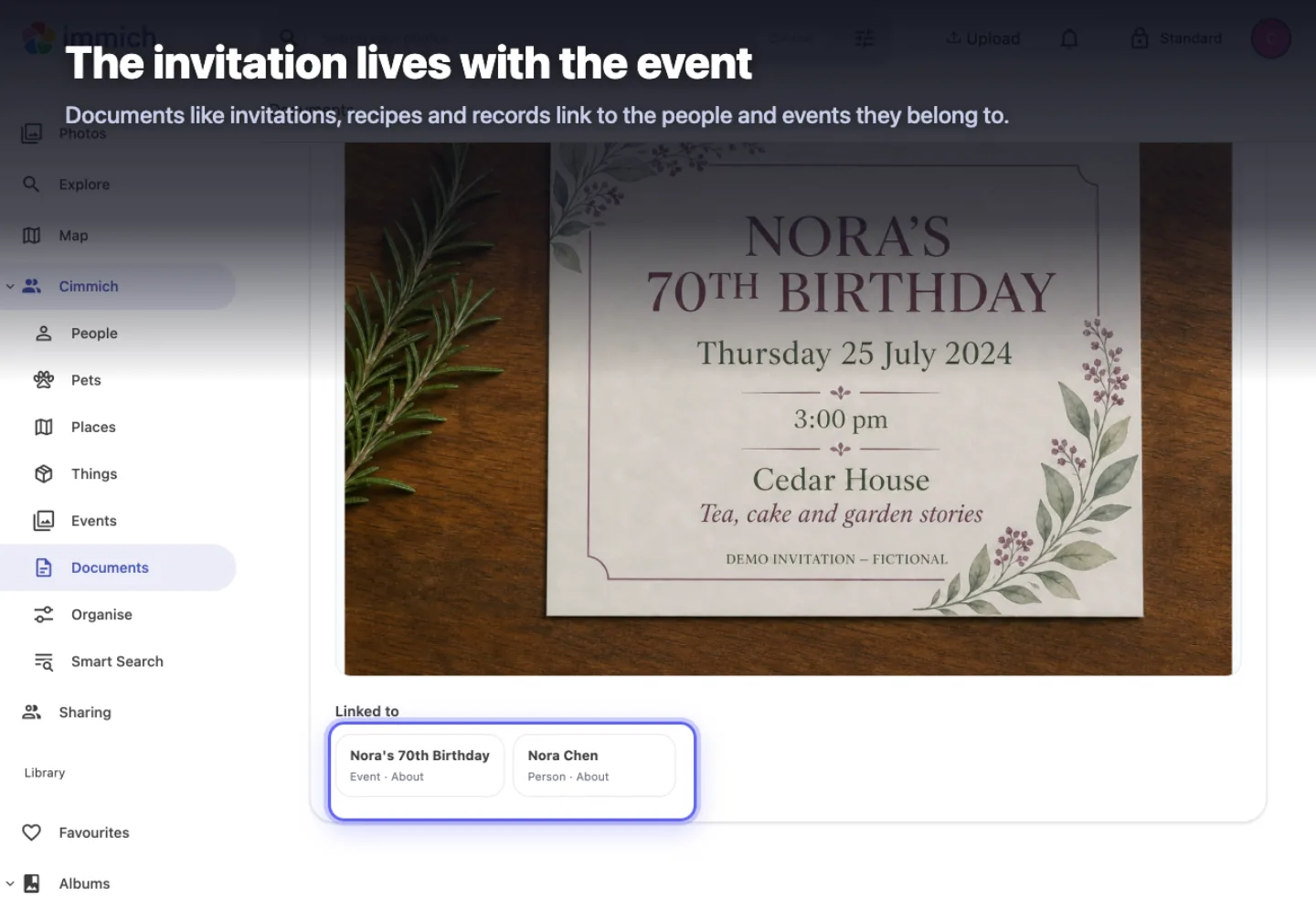
    Nora's birthday invitation linked to Nora Chen and Nora's 70th Birthday event.
  3. 03 / Follow more than one thread

    Ask for the event and the place.

    Bluewater Weekend plus Bluewater Beach narrows the archive to the nine photos that belong to both.
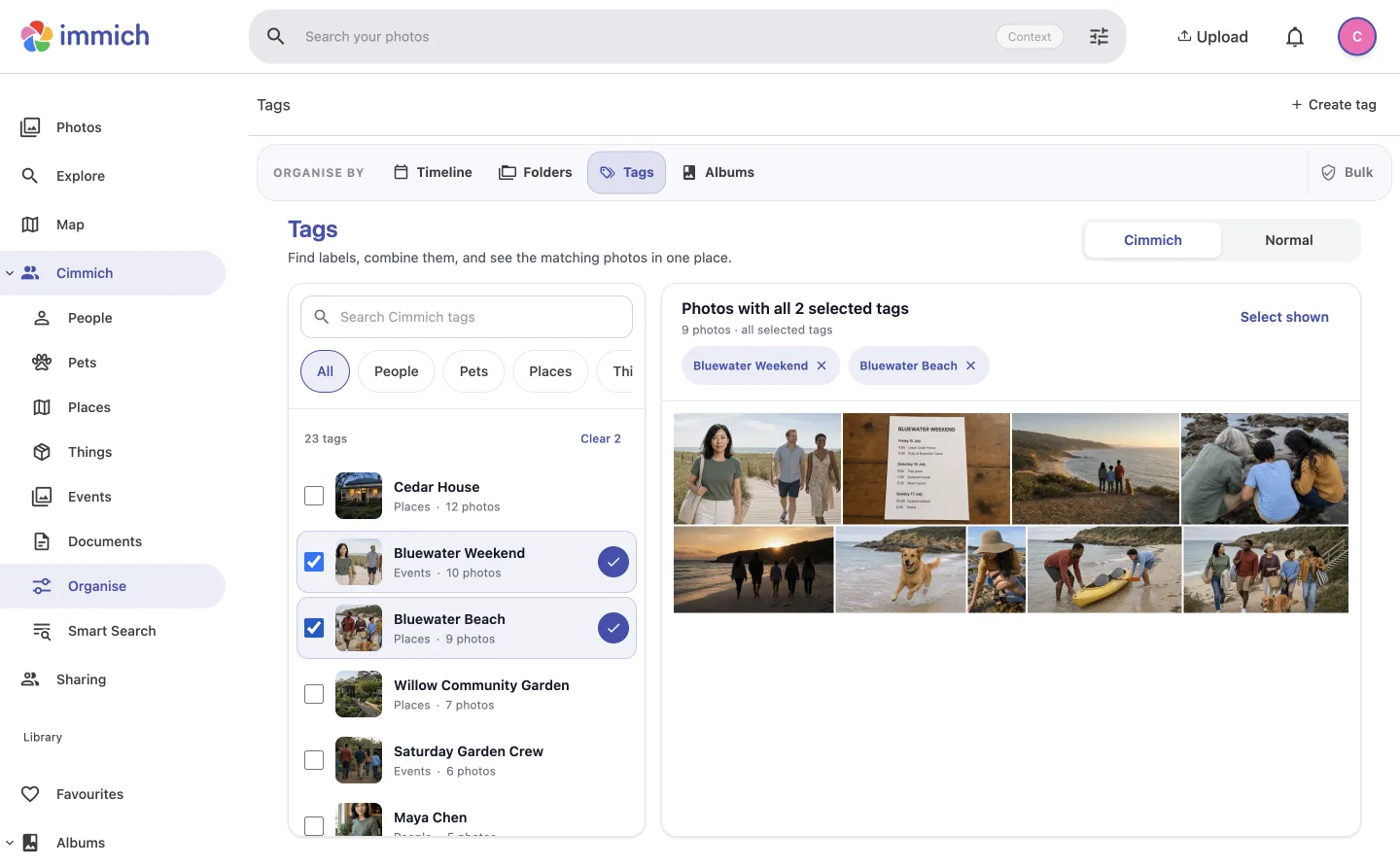
    Cimmich filters showing the nine photos linked to both Bluewater Weekend and Bluewater Beach.

One detail. More ways back.

Add it once. Cimmich carries it through the archive.

A name, relationship, event, place or document becomes part of the same connected memory. It can surface wherever it helps you browse, search or return to the story.

The Identity tab showing accepted Face evidence and separate Appearance categories.
Maya's Face, Head and Body evidence stays connected to one Person.

One connected record

Correct it once. Everything stays current.

Rename a person, update a relationship or change an event, and every connected view reads the same current knowledge.

People
Names, relationships and evidence stay together.
Stories
Events, places and documents carry the same context.
Discovery
Filters and search use the knowledge you already added.

Your knowledge should outlive one install

Move the library without leaving the story behind.

Cimmich reconnects unchanged photos by their contents, not only by where they live today. Move files or rebuild Immich and the people, events, places and documents you added can reconnect after a new inventory.

Your media platform Immich

Keeps authentication, original media, thumbnails and its own library metadata.

Your memory layer Cimmich

Keeps the people, stories, decisions and documents you add in a separate database.

Cimmich stores its own organisation. It does not write albums, tags, metadata or media back into Immich.

01

Same photo, same memory

Unchanged photos can reconnect after paths or Immich IDs change.

02

Edits stay honest

A changed file becomes a new asset instead of inheriting context automatically.

03

Take Cimmich with you

Export Cimmich's database and linked documents without copying original media.

Community Preview 18

Bring Cimmich to the library you already have.

Preview 18 requires exact Immich 3.1.0. The guided install has been tested on macOS and Linux Docker hosts; Windows has not yet been tested. Start with a no-change check of your setup, then install when the account, library and scope look right.

Release v1.1.0-community-preview.18 at ce4534c Exact Immich 3.1.0 Tested macOS and Linux Checksum and source-build verified
Show the no-change preflight command
./tools/install.sh --check

Kourai Khryseai

Explore what else we’re building.

Cimmich began with a simple idea: your photo library should remember more than filenames and faces. It’s one of the projects taking shape at Kourai Khryseai.

Explore Kourai Khryseai